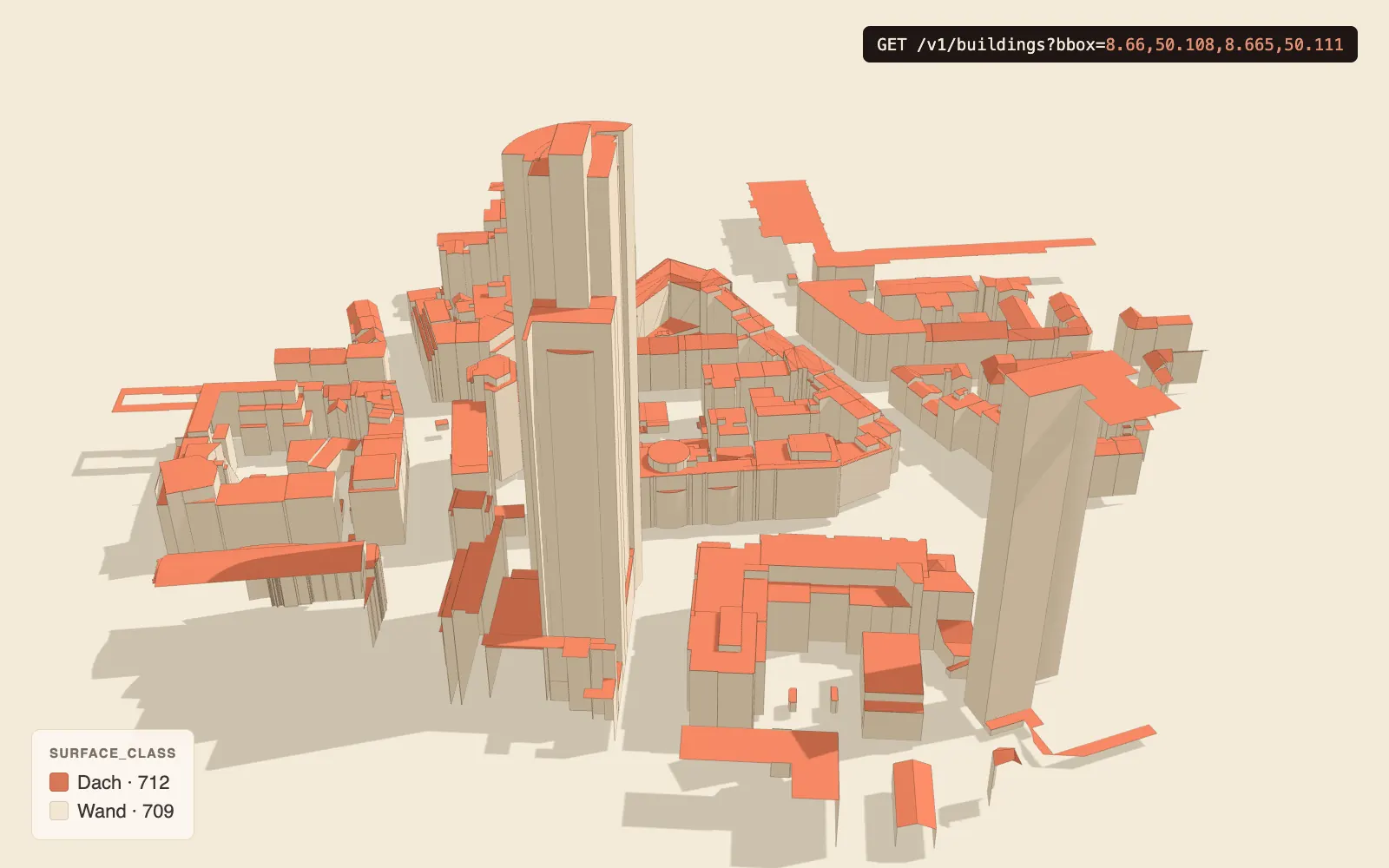
GET /v1/buildings — Gebäude per Bounding-Box
Föderierte GeoJSON-FeatureCollection aller LoD2-Surfaces innerhalb einer WGS84-Bounding-Box. „Föderiert” bedeutet: die API durchsucht alle Bundesländer mit import_finished_at IS NOT NULL parallel und mischt die Ergebnisse. Aus Konsumentensicht: eine API für 16 Bundesländer.
Wichtig — Surface-Level: Jedes Feature ist eine einzelne Surface (Wall/Ground/Roof), nicht ein ganzes Gebäude. Mehrere Surfaces gehören über building_id zum selben Gebäude — zum Rekonstruieren eines Gebäudes nach building_id gruppieren.
Wann verwenden
- Karten-Frontends, die Gebäude-Footprints + 3D-Geometrie auf einer Region brauchen.
- Analyse-Scripts (Building-Count pro Stadtteil, Attribut-Filter).
- 3D-Renderer mit eigener Triangulation (statt fertiges 3D-Tiles aus
/v1/).tilesets
Wenn du eine bbox > ~1 km² brauchst → eher /v1/ verwenden (3D-Tiles streamen). /v1/ ist für detail-orientierte, kleinflächige Queries.
Examples
curl — kleine bbox Frankfurt-Mitte
curl -s "https://api.lodapi.de/v1/buildings?bbox=8.66,50.108,8.665,50.111&limit=50" | jq '.count, .features[0].properties'Python — bbox + Pagination
# pip install lodapi
from lodapi import Client

# .iter() folgt dem Cursor (lodapi.next) automatisch über alle Seiten
with Client() as c:
    for feature in c.buildings.iter(bbox=(8.6995, 50.1225, 8.7005, 50.1235), limit=1000):
        print(feature["id"], feature["properties"]["surface_class"])
TypeScript — Cesium-Anbindung
import * as Cesium from "cesium";

const r = await fetch(
  "https://api.lodapi.de/v1/buildings?bbox=8.66,50.108,8.665,50.111&limit=200"
);
const fc = await r.json();
const ds = await Cesium.GeoJsonDataSource.load(fc, { clampToGround: false });
viewer.dataSources.add(ds);
Parameters
| Parameter | In | Type | Required | Default | Beschreibung |
|---|---|---|---|---|---|
bbox | query | string | yes | — | WGS84 minLon,minLat,maxLon,maxLat (Komma-separiert) |
limit | query | int | no | 100 | 1 ≤ limit ≤ 1000 |
cursor | query | string | no | — | Opaque cursor aus lodapi.next des vorherigen Calls |
Response
200 OK · application/ — GeoJSON-FeatureCollection. Schema-Quelle openapi.json.
{
  "type": "FeatureCollection",
  "bbox": [8.66, 50.108, 8.665, 50.111],
  "count": 47,
  "limit": 100,
  "features": [
    {
      "type": "Feature",
      "id": "DEHE06200001chAX",
      "geometry": {
        "type": "MultiPolygon",
        "coordinates": [[[ [8.661, 50.108, 105.2], ... ]]]
      },
      "properties": {
        "surface_id": 12345678,
        "building_id": 987654,
        "gmlid": "DEHE06200001chAX",
        "surface_class": 712,
        "bundesland": "he",
        "lod": "LoD2"
      }
    }
  ],
  "lodapi": {
    "attribution": [
      {
        "source": "HLBG",
        "license": "DL-DE/Zero 2.0",
        "url": "https://www.govdata.de/dl-de/zero-2-0",
        "tiles_count": 1
      }
    ],
    "next": "aGU6MTIzNDU2Nzg="
  }
}
Attribution
Jede Antwort enthält lodapi.attribution[] mit einem Eintrag pro Bundesland, das in den features[] vorkommt. Die Felder:
| Feld | Bedeutung |
|---|---|
source | Behörden-/Geobasis-Stelle (z.B. „HLBG”, „BezReg Köln”) |
license | DL-DE/Zero 2.0, CC BY 4.0 oder DL-DE BY 2.0 |
url | Lizenz-URL für Verweis im UI |
tiles_count | nicht verwendet bei /v1/buildings (immer 1) |
Frontend-Pflicht: Bei license != DL-DE/ muss der source-String sichtbar in der Map-Footer-Zeile stehen (siehe Attribution-Guide).
Cursor-Pagination
/v1/ verwendet opaque cursor pagination statt OFFSET, weil OFFSET auf großen PostGIS-bbox-Resultaten pathologisch langsam ist. Der Cursor ist ein base64-codiertes <bundesland>:<surface_id>-Tupel — clients sollten ihn als opak behandeln.
Achtung: Der Cursor ist federation-aware (breaking change ggü. Phase-1-Clients, siehe README). Cursor aus altem Format führen zu 400.
Stolperdrähte
limit > 1000→ 422. Validation Error, RFC-7807-Format.bboxohne korrekte 4 Komma-Werte → 400 mit Hinweis aufminLon,minLat,maxLon,maxLat.bboxaußerhalb des WGS84-Wertebereichs → 422 (problem+json), z.B.bbox=200,100,201,101: lon muss in-180..180, lat in-90..90liegen. Gilt für jeden bbox-Endpoint. (Bis 2026-08-31 war das ein nackter 500 ausST_Transform, T-0087.)- bbox-Area-Limit gibt es nicht auf
/v1/— aber: bei sehr großen bboxen werden viele Pages gezogen. Für Großflächen-Use-Cases istbuildings /v1/der richtige Pfad (3D-Tiles streamen statt FeatureCollection).tilesets - Sehr dichte Innenstadt-bboxen (≳1–2 km²) → 504 (problem+json), wenn die Query das 12s-Budget reißt. Reaktion: bbox verkleinern/vierteln oder
limitsenken. (Bis 2026-07 war das ein nackter 500.) nextliegt unterlodapi.next, nicht top-level —null= letzte Page.features[0].properties.bundeslandist der unprefixte 2-Buchstaben-Code ("he","nrw", …), keinerlei BL-Prefix in den IDs in dieser Property.- Surface-Level, nicht Building-Level: ein Feature = eine Surface.
properties.surface_classist die CityGML-ObjectClass-ID:709= WallSurface,710= GroundSurface,712= RoofSurface. Zum Rekonstruieren eines kompletten Gebäudes die Features nachbuilding_idgruppieren (oder direkt/v1/für die aggregierte Geometrie nutzen).buildings/ {gmlid} - Nur Geometrie + Klassifikation: Die Properties sind
{surface_id, building_id, gmlid, surface_class, bundesland, lod}. Per-Building-Sachattribute sind im Slim-Datenbestand nicht enthalten; ältere Feldnamen wieroof_type/tile_x/tile_y/feature_idexistieren nicht.
Verwandte Endpoints
GET /— Single-Building-Detail.v1/ buildings/ {gmlid} GET /— bbox → einzelnes GLB-Mesh.v1/ buildings/ 3d.glb GET /— 3D-Tiles-Streaming für große Flächen.v1/ tilesets